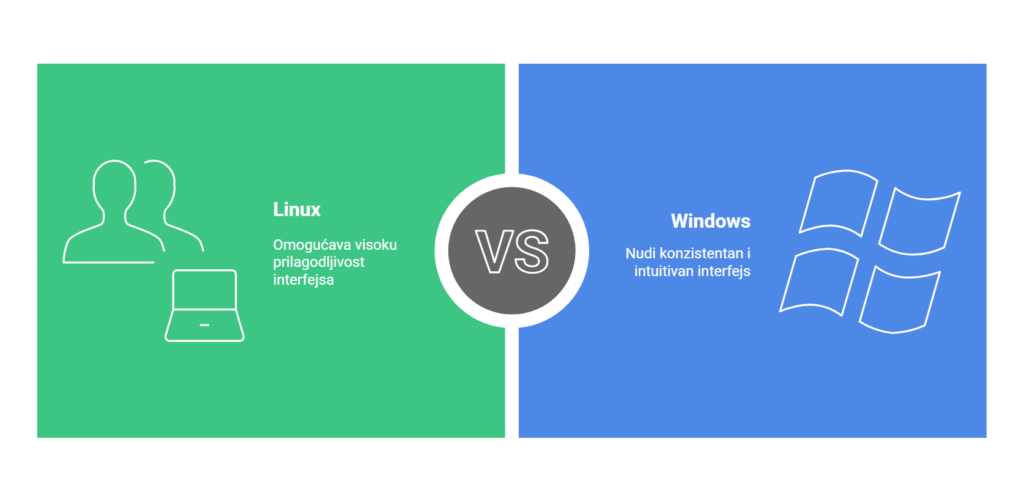
When choosing an operating system, Windows and Linux are the two main options that users often consider.
Linux is open-source software, which means it can be easily modified and adapted to specific needs, while Windows offers integration with a wide range of commercial applications such as video games and popular software such as Office or PhotoShop.
For those wondering which system is the better choice, the answer lies in understanding your own needs and expectations.
Users who prefer freedom of choice and customization may value Linux for its flexibility, while others will appreciate Windows for the support it provides for a wide range of applications.
Key points
Linux provides greater security and flexibility.
Windows offers wider software support and accessibility.
The choice of system depends on the specific needs of the user.
Criterion
Linux
Windows
Flexibility and adaptability
Open-source, easily modifiable
Limited customization, but extensive software support
System requirements and distributions
Different distributions with specific requirements
Standardizovan OS sa fiksnim zahtevima
Licensing and pricing
Besplatan (GNU GPL licenca)
Paid OS with different licenses
Installation and configuration
More customization options
Simple and standardized installation
User environment
Different environments (GNOME, KDE, XFCE)
Consistent and intuitive interface
Security and updates
Quick response to threats, regular updates
Automatic updates, more common security issues
Software management
Package Managers (APT, YUM)
Installation via .exe files, higher risk of malware
Performance and resources
Optimized for weaker hardware
It consumes more resources due to background processes
Support and community
Aktivna zajednica, besplatna dokumentacija
Official Microsoft support, paid services
Use in industry
Popular in servers, programming, network administration
Dominant in business and home environments
1. Flexibility and adaptability
Linux is a free and open-source operating system, while Windows is commercial and often comes pre-installed on computers
Linux allows users to customize the system according to their own needs.
Windows it offers some level of customization but doesn't have the same freedom of modification.
Open Source – Linux is open-source, which allows users to modify and customize the system according to their needs.
Custom Distributions – Different versions of Linux are available, optimized for specific tasks, from servers to multimedia systems.
Multiple Work Environments – Users can choose between GNOME, KDE, XFCE and other interfaces, customizing the look and functionality of the system.
Konfigurabilnost sistema – Advanced users have the option of detailed settings, from the core of the system to individual applications.
Scripting and Automation – Linux allows for extensive use of scripts and terminal commands to automate tasks.
Windows Limitations – Unlike Linux, Windows offers fewer customization options and relies on closed source code.
Compatibility and stability – Although less customizable, Windows provides a consistent experience that is optimized for wider use.
As someone who has been experimenting for years and pushing the boundaries of knowledge with both operating systems, I believe that you should not worry too much about the interface because there is a solution for both systems and a way to achieve the desired look.
2. System requirements and distributions
Linux offers different distributions with specific hardware requirements. Ubuntu and Fedora, offer better performance and support for modern hardware.
Windows it has fixed system requirements, which increase with each new version.
3. Licensing and Pricing
Linux is completely free and open source, while Windows requires a paid license to use, making it a more expensive option for users and businesses
Linux is available for free, thanks to the GNU GPL license.
Windows requires the purchase of a license, with different billing models available.
Almost every IT store offers installation services of the operating system as desired and at a good price!
4. Installation and configuration
Linux offers various installation methods, from simple graphical installers to advanced options that allow full control over disk partitioning, kernel selection, and additional packages.
Linux allows for deeper system customization after installation, including changing the operating environment, system services, and security options.
5. User environment
Linux allows a choice of different graphical interfaces, such as GNOME, KDE and XFCE.
Windows maintains a consistent and intuitive interface, with a familiar arrangement of elements.
If you are a programming person and are interested in switching to Linux, you can easily and quickly get used to it.
6. Security and Updates
Linux is considered more secure due to its open-source nature, where developers around the world are constantly monitoring and fixing vulnerabilities.
Windows it has an automatic update system, which often forces users to install new versions, sometimes causing compatibility issues. phishing attacks significantly more prevalent.
Usage VPN contributes to security on both operating systems, enabling encrypted communication and privacy protection.
7. Software management
Linux use package managers such as APT and YUM, which allow easy download and installation of software from official repositories.
Windows it relies on installation files (.exe), which gives users more freedom, but increases the possibility of downloading insecure applications.
Key differences in software management:
Linux:
Package managers automatically resolve dependencies between applications.
Most software comes from official repositories, reducing the risk of viruses.
Open-source applications are dominant and freely available.
Flatpak, Snap, and AppImage offer additional installation methods.
Windows:
Software installation via .exe and .msi files requires manual download.
Greater exposure to malware due to downloading from unsafe sources.
The Microsoft Store offers apps, but with a limited selection compared to Linux repositories.
Software often comes with additional programs (bloatware) that can slow down the system.
8. Performance and resources
Linux is optimized for efficient use of hardware resources.
Windows, due to numerous background processes and pre-installed applications, consumes more system resources.
Linux is known for its stability and rarely requires a reboot, while Windows often requires regular reboots after updates
9. Support and community
Linux users have access to a wide community network that actively contributes to the development of the system.
Windows offers official technical support through Microsoft Services, including a knowledge base, user forums, and direct help via chat or phone. Microsoft 365 support or Enterprise contracts, provide business users with priority assistance and security patches tailored to their needs.
Differences in support:
Linux:
Free support through community, forum and documentation.
Active users and developers help solve problems.
Paid support available for enterprise versions (eg RHEL, SUSE).
Windows:
Official Microsoft support available with licensed software.
Paid services for faster and priority technical assistance.
The user community provides advice, but no official guarantees.
10. Upotreba u industriji
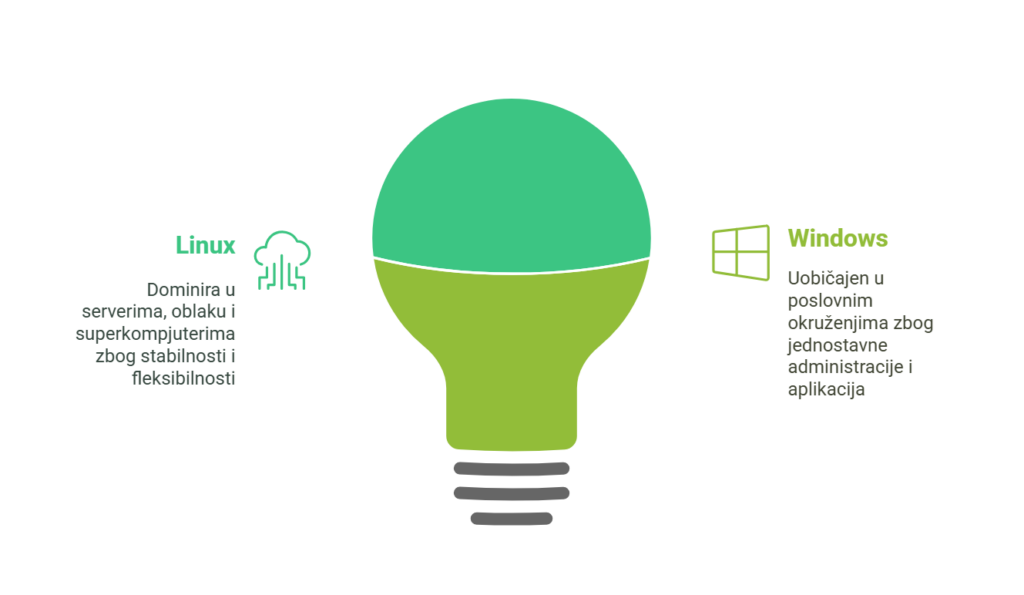
Linux dominates servers, cloud infrastructure and supercomputers due to stability, security and flexibility.
Windows is widely used in business environments, offices and industries that require specialized applications such as AutoCAD, Adobe software and the Microsoft ecosystem.
More than 90% of the world's supercomputers use Linux, while Windows is the most common choice for business and home users
Frequently Asked Questions
Which operating system is better for gaming - Windows or Linux?
Windows je generalno bolji izbor za gaming, jer većina igara i gejming platformi, poput Steam-a i Epic Games-a, prvenstveno razvija podršku za Windows.
Is it possible to use Microsoft Office on Linux?
Microsoft Office does not have an official version for Linux, but there are alternatives.
How hard is it to switch from Windows to Linux?
It depends on the distribution and previous user experience.
Is Linux a better choice for developers than Windows?
Linux is often a better choice for developers because it offers rich developer tool support, easier terminal access, and better package management. zavise od Microsoft tehnologija, such as .NET or Windows-specific applications.
How does Linux affect battery life compared to Windows?
Linux can be more battery efficient because users have more control over background processes.
For the End
The choice between Linux and Windows depends on the needs of the user.
Your privacy is important to us We use cookies to improve your browsing experience, deliver personalized ads or content, and analyze our traffic. cookie policy. By continuing to use the site and not selecting one of the options, you will be deemed to have opted out of the cookie policy
Functional cookies
Always active
Technical storage or access is strictly necessary for the legitimate purposes of enabling the use of a particular service that the subscriber or user has expressly requested, or solely for the purpose of transmitting communications via an electronic communications network.
Settings
Technical storage or access is necessary for the legitimate purpose of storing preferences not expressly requested by the subscriber or user.
Statistical cookies
The technical storage or access that is used exclusively for statistical purposes.Technical storage or access is required to create user profiles to send advertisements or track users on a website or across websites for similar marketing purposes.
Marketing cookies
Technical storage or access is necessary to create user profiles for the purpose of sending advertisements or tracking users on a website or across websites for similar marketing purposes.
 Skip to content